


Grimoire 1.15 Adds Find Across Files and Optional Tabs
Richard Windley of The Really Small Software Company has released Grimoire 1.15, an update to his programmer’s editor for RISC OS. Announced on the RISC OS Open Announcements forum, the changes are based on feedback and suggestions from users. The Grimoire product page lists version 1.15 as a 197K download dated 6 November 2026.
Grimoire first appeared in October and offers syntax colouring, completion of symbols and names, highlighting of simple errors while typing, Throwback support, a code formatter and TaskWindow support. Over twenty languages and filetypes are handled through plugins, including BASIC, C/C++, ARM assembler, Python, Lua, HTML and Markdown. It needs a 32-bit version of RISC OS 5 or RISC OS 6 with the Toolbox.
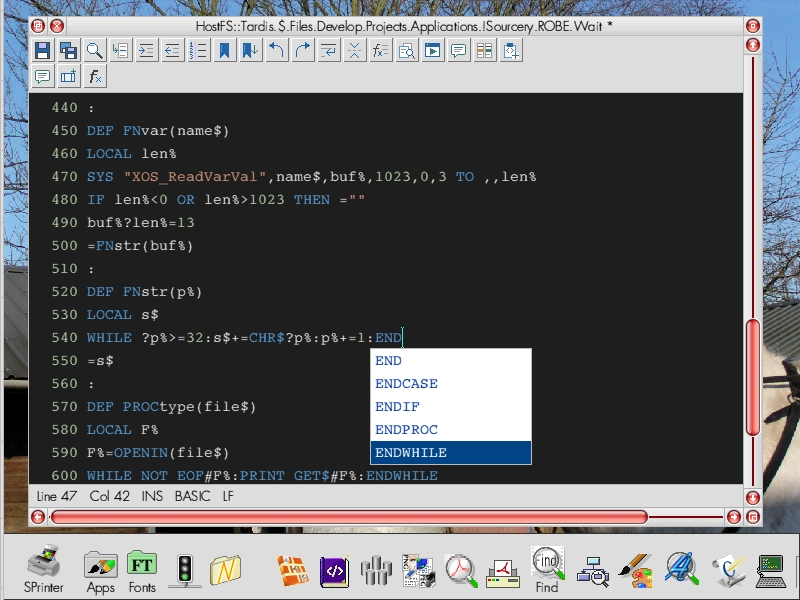
Grimoire completing a keyword in BASIC. Screenshot from the Grimoire product page, The Really Small Software Company.
The headline addition in 1.15 is find and replace across every open file: the Find window now has an All files option and a Find button. Task windows have also been fixed so that command history and line editing provided by the LineEditor module now work inside a Grimoire task window.
Tabbed windows are now available but are off by default, so files keep opening in their own windows unless tabs are enabled. When they are on, a file can be grouped with another file from the same directory or with the front window, and new files and views open as tabs. Holding Shift while a file opens gives it its own window, a tab can be dragged off the strip into a window of its own or dropped onto another window’s tabs, and the behaviour can be set in Choices.
Grimoire also now opens each file only once. Opening a file that is already loaded brings its existing window or tab to the front rather than loading a second copy.
Grimoire 1.15 can be downloaded from The Really Small Software Company’s Grimoire page, which also has the version history and a PDF manual. Discussion is open in the forum announcement thread.